Codes
No working Build to Fight Zombies codes yet—how redemption will work, where to watch for drops, and how this wiki stays current.
View all CodesTank builds, wave tips, and codes for Build to Fight Zombies.
Unofficial fan wiki for Build to Fight Zombies on Roblox: tank builds, wave tips, codes, and co-op survival guides for every session.
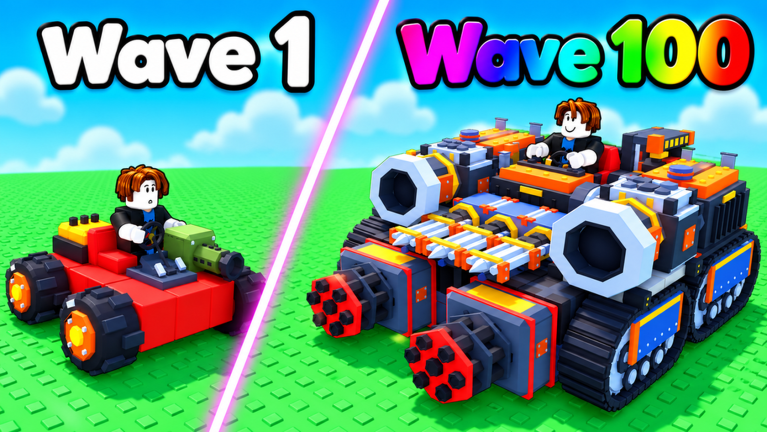
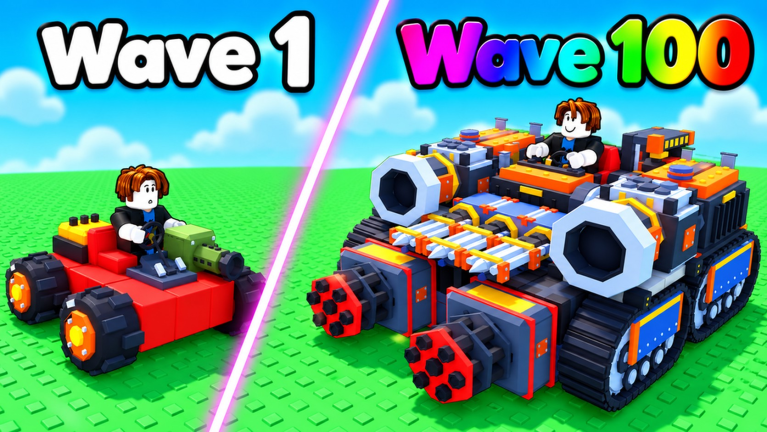
Build to Fight Zombies is a free Roblox simulation sandbox by Khorovats where up to six players build a shared tank and hold out against escalating zombie waves. Prep windows between waves are when you place armor, turrets, and repairs—then the next horde tests every choice. Start with the beginner guide, learn how to build a tank, and study how to survive waves. Check codes when drops appear, compare parts on the tier list, skim scripts only if you need tooling notes, and follow updates after patches. For input maps see controls; for roles and co-op habits open players.
No working Build to Fight Zombies codes yet—how redemption will work, where to watch for drops, and how this wiki stays current.
View all CodesBuild to Fight Zombies guides: first session, tank builds, wave survival, co-op, solo play, repair prep, and common mistakes to avoid.
View all GuidesStrategy tier rankings for Build to Fight Zombies: tank builds, prep priorities, turret density, armor balance, facing, and roles.
View all Tier ListKhorovats creator notes, co-op tips for up to six players, community habits, and practical advice for longer runs.
View all PlayersPatch timeline for Build to Fight Zombies from the October 2026 release through ~26 Nov (~7.9M visits), plus how to track changes.
View all UpdatesHonest scripts status for Build to Fight Zombies: no verified tools yet, safety risks, and what players usually look for.
View all ScriptsPractical tools for Build to Fight Zombies: controls reference, build-panel tips, and prep-window helpers for every run.
View all ToolsWhat Build to Fight Zombies is: tank building between waves, co-op defense, fail conditions, and how this unofficial wiki helps.
View all LinksLoad into Build to Fight Zombies and complete every tutorial step so build mode, combat, and prep windows feel natural. The Getting Started guide walks through first objectives, what to unlock early, and how a six-player session usually unfolds.
Use the prep window after each wave to place chassis, armor, and turrets before the next horde spawns. Follow How to Build a Tank for layouts that balance firepower and durability, then compare parts on the tier list before you commit scarce resources.
Early waves punish greed: keep a working gun online, protect the core, and repair critical damage before you chase fancy modules. Survive Waves covers threat priorities, when to hold fire, and how to stretch a fragile first tank into mid-run.
Assign who builds, who spots, and who focuses repairs so six players do not stack the same turret. See Players for co-op habits, then use Survive Waves repair order tips so small hull damage never becomes a full wipe next wave.
Quick answers for tank builds, waves, and codes.
Finish the in-game tutorial, then read the Getting Started guide. Next, follow How to Build a Tank and Survive Waves before you chase late-game modules.
Not at the moment—our codes list shows zero active rewards and updates when verified drops appear. Bookmark that page instead of trusting random social posts.
Servers support up to six players. For role splits and co-op habits, see Players; for shared repair and wave callouts, pair that with Survive Waves.
Prioritize a stable chassis, basic armor on the core, and at least one reliable turret before luxury parts. How to Build a Tank and the tier list explain early vs. late priorities.
No. This is an unofficial fan wiki for the Roblox game by Khorovats. Confirm patch notes and announcements on the official experience page or developer channels, and use our updates hub as a secondary log.
This wiki supports: English, Français, Deutsch, Español, Português (BR). Configure locales in site.meta.json and run npm run generate:i18n.
Use the controls page for movement, build mode, and combat inputs, then return to Getting Started if you still need a day-one checklist.
From first-tank layouts to late-wave repairs, this wiki covers the full loop. Start with the beginner guide, or jump into how to build a tank, survive waves, codes, and the tier list.
Start with the beginner guide